
Restaurant Website Mistakes Killing Reservations in Singapore (And How to Fix Them)
Quick Answer
Most restaurant websites in Singapore lose 40 to 70% of potential reservations through a handful of fixable mistakes: slow mobile load, hidden reservation buttons, outdated menus, no click-to-call, and a reservation flow that takes more than 3 taps. The restaurants fixing these in 2026 are recovering 20 to 50 extra bookings a month inside 60 days. The ones ignoring them keep paying for Google Ads traffic that bounces.
Why Your Restaurant Website Is Probably Losing Money Right Now
Here is the thing. A Singapore diner looking at your website at 6:47pm on a Friday has one job: find your menu, decide, and book. If any step takes more than 10 seconds, they are back on Google, scrolling to the next option. We audit restaurant websites every week, and the same mistakes show up in 8 out of 10 of them.
Let’s break down the seven that cost the most reservations in Singapore right now.
Mistake 1: Mobile Load Time Above 3 Seconds
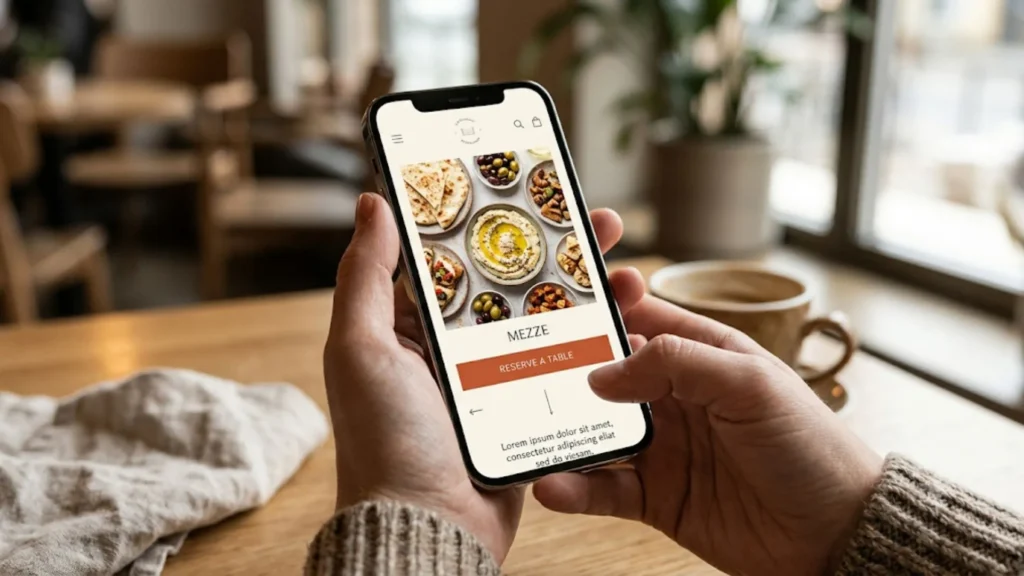
Over 80% of restaurant website visits in Singapore come from mobile. If your site takes 5 seconds to load on 4G, you are losing roughly half your traffic before they see your name. Google’s own data confirms it: a jump from 1 second to 3 seconds pushes bounce rate up by 32%, and from 1 to 6 seconds, 106%.
What to fix:
- Compress every image above 200kb using WebP or AVIF formats
- Remove any background video on the homepage, it is almost always the biggest load killer
- Switch to a lightweight theme, drop page builders that render 50+ divs for a single section
- Enable caching via LiteSpeed, WP Rocket, or your host’s built-in cache
Our Website Speed Optimization service covers the full technical audit if the DIY path is not your thing.
Mistake 2: The Reservation Button Is Hidden
If a diner has to scroll, tap a menu, or hunt for a "Book" button, you lost them. The reservation CTA should be:
- Visible above the fold on mobile without scrolling
- In a contrast colour that stands out from your palette (terracotta on cream, mustard on charcoal, red on white)
- Repeated at least 3 times down the page: hero, menu section, footer
- Sticky in the header or bottom bar on mobile
We added a sticky bottom reservation bar for a Kampong Glam client last quarter and saw mobile bookings go up 38% inside 3 weeks. No other change.
Mistake 3: Menu Is a PDF (Or Worse, a Photo)
A PDF menu on mobile is painful: it loads slow, requires pinch-zoom, and Google cannot read the dishes for SEO. A JPG of your menu is worse, because screen readers and search engines treat it as a blank image.
What to fix:
- Build the menu as HTML with proper headings for sections (Starters, Mains, Desserts)
- Include prices in SGD on every item, no "ask our server"
- Add short dish descriptions (10 to 20 words) with ingredients, this helps Google show your menu in rich results
- Keep seasonal menus on separate URLs so they can rank for "Ramadan menu Singapore" or "Christmas lunch Singapore"
Mistake 4: No Click-to-Call or WhatsApp Link
Older diners, large party bookings, and dietary enquiries almost always come through phone or WhatsApp, not online forms. A phone number as plain text (not a tel: link) forces the diner to copy, paste, and dial manually. Half of them give up.
What to fix:
- Every phone number as
<a href="tel:+65XXXXXXXX"> - Add a WhatsApp Click-to-Chat link with a prefilled message like "Hi, I’d like to book a table for"
- Pin both to the header on mobile
Mistake 5: The Reservation Flow Takes More Than 3 Taps
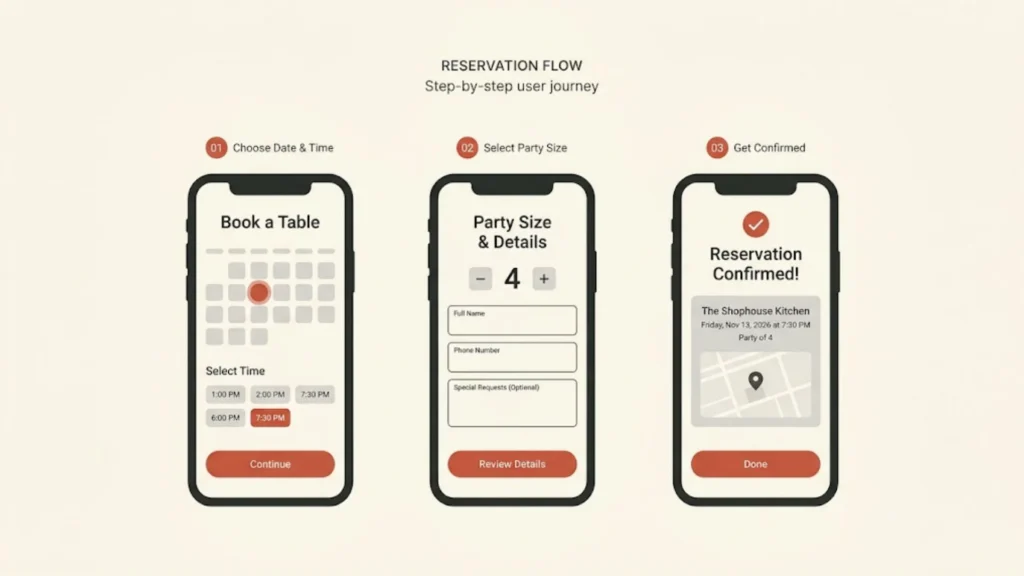
If your reservation flow asks for first name, last name, email, phone, number of guests, special requests, dietary preferences, and dress code acknowledgement across 5 screens, abandonment is above 70%. The best-converting restaurant reservation flows in 2026 need just three screens:
- Date, time, party size
- Name and phone (email optional)
- Confirmation
Platforms like Chope, SevenRooms, and the native widgets in Cowlendar for Shopify sites all support this flow. If yours does not, change the platform, not just the design.
Mistake 6: Opening Hours Are Hidden or Outdated
Opening hours should sit in three places minimum:
- Header or sticky bar on every page
- Footer, with public holiday exceptions clearly flagged
- Contact page with a human-readable schedule
Mismatched hours between your website, Google Business Profile, and reservation platform is a trust killer. We fix NAP consistency (Name, Address, Phone, and hours) on almost every restaurant audit we run.
Mistake 7: No Schema Markup, No Rich Results
Restaurant schema markup lets Google show your menu, hours, price range, and reservation link directly in the search result. Without it, your competitor’s listing looks professional and yours looks like a plain blue link.
Minimum schema every Singapore restaurant should have:
- Restaurant schema with name, address, geo coordinates, phone, opening hours
- Menu schema linking to your menu page
- Reservation schema pointing to your booking URL
- LocalBusiness fields with price range, served cuisine, payment accepted
If you are on WordPress with Rank Math or Yoast, most of this can be configured without touching code. Our Restaurant SEO service handles the full schema buildout alongside on-page optimisation.
What a Reservation-Driving Restaurant Website Looks Like in 2026
The restaurants quietly dominating Google in Singapore share these traits:
- Mobile load under 2.5 seconds on 4G
- One clear reservation CTA visible on every screen
- HTML menu with prices, descriptions, and dietary tags
- Click-to-call and WhatsApp buttons pinned on mobile
- 3-tap reservation flow
- Restaurant and Menu schema in place
- Opening hours matching GBP exactly
- Photos of real food, not stock images
- Clear halal, vegetarian, or dietary icons where relevant
Nothing on that list is complicated. All of it is boring, disciplined execution.
30-Day Fix Plan
- Week 1: Run a mobile speed test (PageSpeed Insights). Fix anything scoring below 70. Compress images, drop background video, enable caching.
- Week 2: Rebuild the reservation CTA. Sticky bottom bar on mobile, bright contrast colour, repeated 3 times down the page.
- Week 3: Rebuild the menu as HTML. Prices in SGD, short descriptions, proper headings. Add click-to-call and WhatsApp to the header.
- Week 4: Install Restaurant, Menu, and LocalBusiness schema. Verify in Google’s Rich Results Test. Match opening hours across website, GBP, and reservation platform.
Most restaurants see a 15 to 40% lift in reservations within 60 days of fixing these.
Related Reading
Author Bio
Dinevix Team
Dinevix builds and optimises websites for Singapore restaurants, cafes, cloud kitchens, and small chains. Our focus is reservation lift, not design awards. Every build we ship is measured on bookings, not pageviews.
Website: dinevix.com
Contact: Get in touch
Frequently Asked Questions
How fast should a restaurant website load in Singapore?
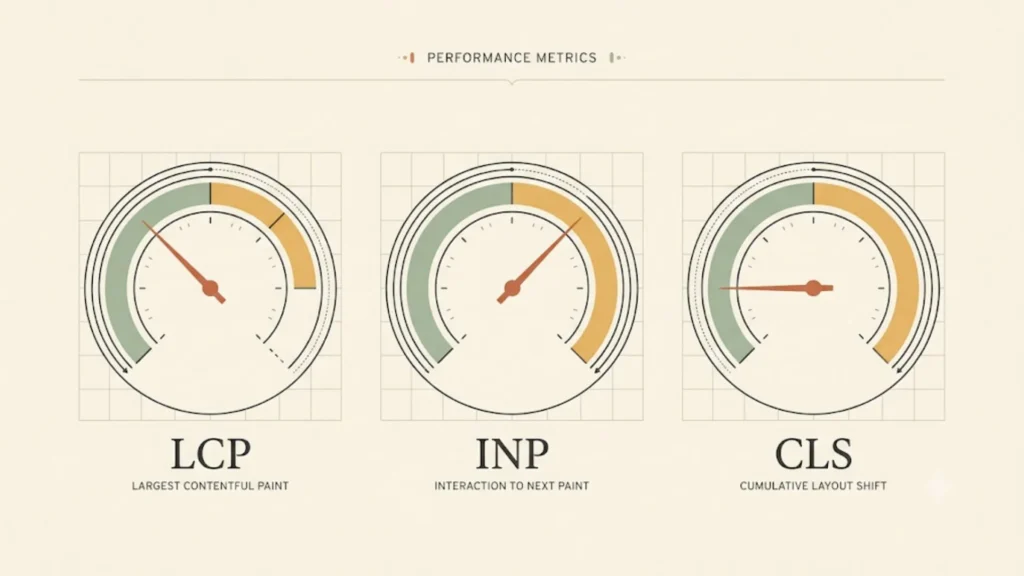
Under 2.5 seconds on mobile 4G. Google’s Core Web Vitals thresholds for "good" are LCP under 2.5 seconds, INP under 200ms, and CLS under 0.1. Websites meeting all three rank better in local search and lose fewer visitors to bounce.
What is the best reservation platform for a Singapore restaurant?
Chope dominates the Singapore market for independents, SevenRooms for premium venues with CRM needs, Oddle for direct ordering plus reservations. Shopify-based restaurants use Cowlendar for inline booking widgets. Pick based on commission structure, not just features.
Do I need a mobile app for my restaurant?
Almost never. A fast mobile website outperforms a native app for 95% of independent restaurants because diners will not install an app for a single visit. Spend the app budget on your website speed and reservation flow instead.
Should my menu show prices in SGD?
Yes, every item, no exceptions. Hiding prices ("ask our server", "seasonal pricing") kills bookings. Diners want to know the ballpark before they commit. For truly variable items like market fish, show a range (SGD 38 to 48).
How often should I update my restaurant website?
Menu and hours every time they change. Photos quarterly. Full design refresh every 3 to 4 years. Content pages (About, Private Dining, Catering) reviewed yearly for accuracy. A website that looks dated signals the restaurant might be too.
Can I build my restaurant website on Wix or Squarespace?
Technically yes, but both platforms produce slower sites than WordPress or a static site generator. For a single-outlet restaurant with no complex requirements, they work. For multi-outlet, menu-heavy, or SEO-serious restaurants, go WordPress with a lightweight theme or custom build.
How much does a restaurant website cost in Singapore?
Template-based WordPress build: SGD 2,500 to 5,000. Custom design with reservation integration and SEO foundation: SGD 6,000 to 15,000. Premium multi-outlet build with full CMS and multilingual support: SGD 15,000 to 40,000. Anything below SGD 2,500 is usually a drag-and-drop template that will cost you reservations within a year.
Conclusion
Your website is either generating reservations or quietly leaking them. There is no middle ground. The seven fixes above take 30 days to execute, cost less than three months of underperforming Google Ads, and compound every month the site stays live. Start with speed and the reservation CTA. Those two alone recover more bookings than most full redesigns.
If your website has been live for over 2 years without a serious audit, odds are you are losing 20 to 50 reservations a month to one of these mistakes. Our Restaurant Website Design team handles the full audit and rebuild, with a focus on bookings per visitor, not design awards.